Your competitors are already using AI to develop embedded systems 3x faster. Here’s the insider knowledge you need to catch up and get ahead.
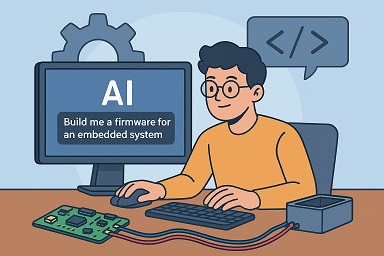
The Problem: Generic AI Tools Don’t Understand Hardware
We’ve all seen the demos. Copy-paste a web development prompt into ChatGPT or GitHub Copilot, and boom – working code in seconds. Try the same approach with embedded systems, and you’ll quickly discover why most engineering teams are still skeptical about AI coding agents.
“Build me a relay controller for Raspberry Pi” sounds simple enough. But AI tools trained on web development don’t understand:
- GPIO timing constraints
- Hardware initialization sequences
- Real-time requirements
- Power consumption implications
- Production reliability standards
The result? Code that works in the demo but fails spectacularly when you try to deploy it.
Why Traditional Prompting Fails for Embedded Systems
Most developers approach AI coding agents like they’re talking to a junior developer. They give high-level requirements and expect the AI to figure out the details. This works for CRUD applications. It’s a disaster for embedded systems.
Here’s what typically goes wrong:
Vague Requirements Lead to Unusable Code
- “Control some relays” becomes hardcoded GPIO assignments
- “Make it networked” becomes a basic HTTP server with no error handling
- “Add testing” becomes a few assert statements
Missing Critical Context
- No consideration for hardware constraints
- Zero understanding of embedded development workflow
- Complete ignorance of production deployment requirements
The $50K Mistake We recently consulted for a company that spent two months with an AI-generated IoT system before realizing it couldn’t handle their production environment. The AI had created beautiful Python code that consumed 300MB of RAM and required internet connectivity for basic relay operations. On a Raspberry Pi Zero with 512MB RAM and spotty industrial network connectivity.
The Solution: Hardware-First Prompt Architecture
After working with dozens of embedded projects, we’ve developed a systematic approach to AI prompting that actually works for hardware systems.
Phase 1: Lead with Hardware Constraints
Don’t start with “what you want to build.” Start with “what you’re building it on.”
Instead of this:
“Create a relay controller with a REST API”
Do this:
“Create a relay controller for Raspberry Pi 3 with 4-port relay hat. Hardware constraints: GPIO pins 31,33,35,37 for relays, 512MB available RAM, no internet dependency required, must survive power cycles gracefully.”
The AI now understands it’s working within embedded constraints, not building a cloud application.
Phase 2: Specify Professional-Grade System Architecture
Consumer-grade hobbyist projects and production embedded systems are completely different beasts. Make this clear upfront.
Critical Elements to Include:
- Error handling strategy: What happens when GPIO fails?
- Logging requirements: How will you debug in production?
- Configuration management: External config files, not hardcoded values
- Testing framework: Unit tests that can run in CI/CD
- Deployment considerations: Systemd services, not Python scripts
Example Architecture Specification:
Architecture Requirements:
- Modular design with separate GPIO, API, and configuration managers
- JSON-based configuration with validation
- Comprehensive error handling and recovery
- pytest-compatible unit test structure
- Production logging to syslog
- RESTful API with OpenAPI documentation
Phase 3: Define the Complete Development Ecosystem
Here’s where most teams fail: they ask for “the code” but forget about everything else needed for professional development.
Don’t just ask for application code. Specify:
- Project directory structure with proper organization
- CI/CD pipeline configuration (GitHub Actions, Jenkins, etc.)
- Requirements files for both development and production
- Documentation structure and examples
- Deployment scripts and systemd service files
The 47-Point Specification That Works
When we transformed a client’s vague “build me a relay controller” into a comprehensive specification, the result was a complete project that went from concept to production in 6 weeks. Here’s what made the difference:
- Detailed API specification with exact endpoints and response formats
- Complete directory structure including tests, docs, and deployment configs
- Hardware pin mappings with initialization sequences
- Error handling scenarios with specific recovery strategies
- CI/CD integration with automated testing and deployment
- Production monitoring with health checks and logging
The AI delivered not just working code, but a complete professional project ready for production deployment.
The 5 Critical Mistakes Everyone Makes
1. Treating AI Like a Search Engine Don’t ask “How do I control GPIO pins?” Ask for complete, working code with error handling.
2. Forgetting About Production Include deployment, monitoring, and maintenance requirements from the start.
3. Ignoring Hardware Constraints Always specify memory, CPU, and timing limitations upfront.
4. Skipping the Development Workflow Request complete project structure with testing and CI/CD integration.
5. Being Vague About Interfaces Specify exact API endpoints, data formats, and communication protocols.
When to Use AI vs. When to Call the Experts
AI coding agents excel at:
- Generating boilerplate code with proper structure
- Creating comprehensive test suites
- Building standard communication protocols
- Implementing well-defined algorithms
Call in human experts when:
- Custom hardware integration is required
- Real-time performance is critical
- Safety certification is needed
- Complex signal processing is involved
The Competitive Advantage
Teams that master AI-assisted embedded development are shipping products faster without sacrificing quality. They’re not replacing engineering expertise – they’re amplifying it.
The key is knowing how to communicate with AI tools in their language while maintaining embedded systems discipline.
Ready to Accelerate Your Next Embedded Project?
Don’t let your team struggle with generic AI tools on specialized hardware projects. The techniques we’ve developed can transform your development timeline while maintaining the reliability your products demand.

I’ve definitely seen how AI struggles with embedded systems due to a lack of context around things like GPIO timing and power consumption. It’s easy to forget that embedded systems have unique requirements that go far beyond what web-focused AI tools are built to handle.
Absolutely! GPIO timing and power constraints are huge blind spots. What also concerns me is the sheer lack of memory management that AI generated code produces.
I completely agree with how critical the context is for embedded development. AI can definitely speed things up, but it’s only useful if you’re clear about the hardware-specific details. Otherwise, you might end up with something that works on paper but doesn’t scale in real-world applications.